Identity for AI agents: workload identity, delegation and MCP authorization without shared keys
Workload identity tells you which pod is calling. AI agents need more: on whose behalf they act, and what they may do right now. A practical guide to agent identity with RFC 8693 token exchange, the MCP authorization spec, token vaults, and the managed options on AWS, Google Cloud and Microsoft Entra.
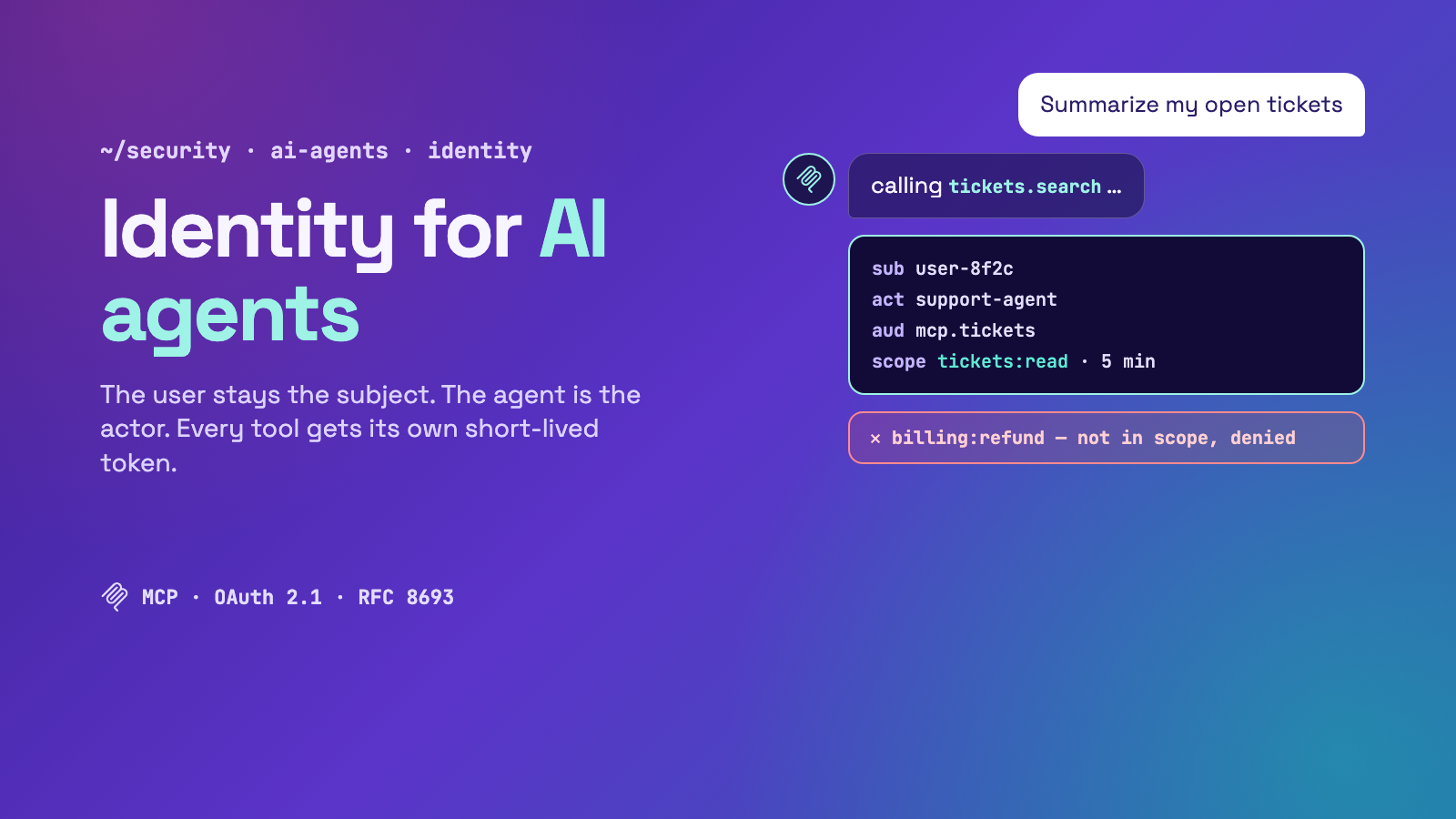
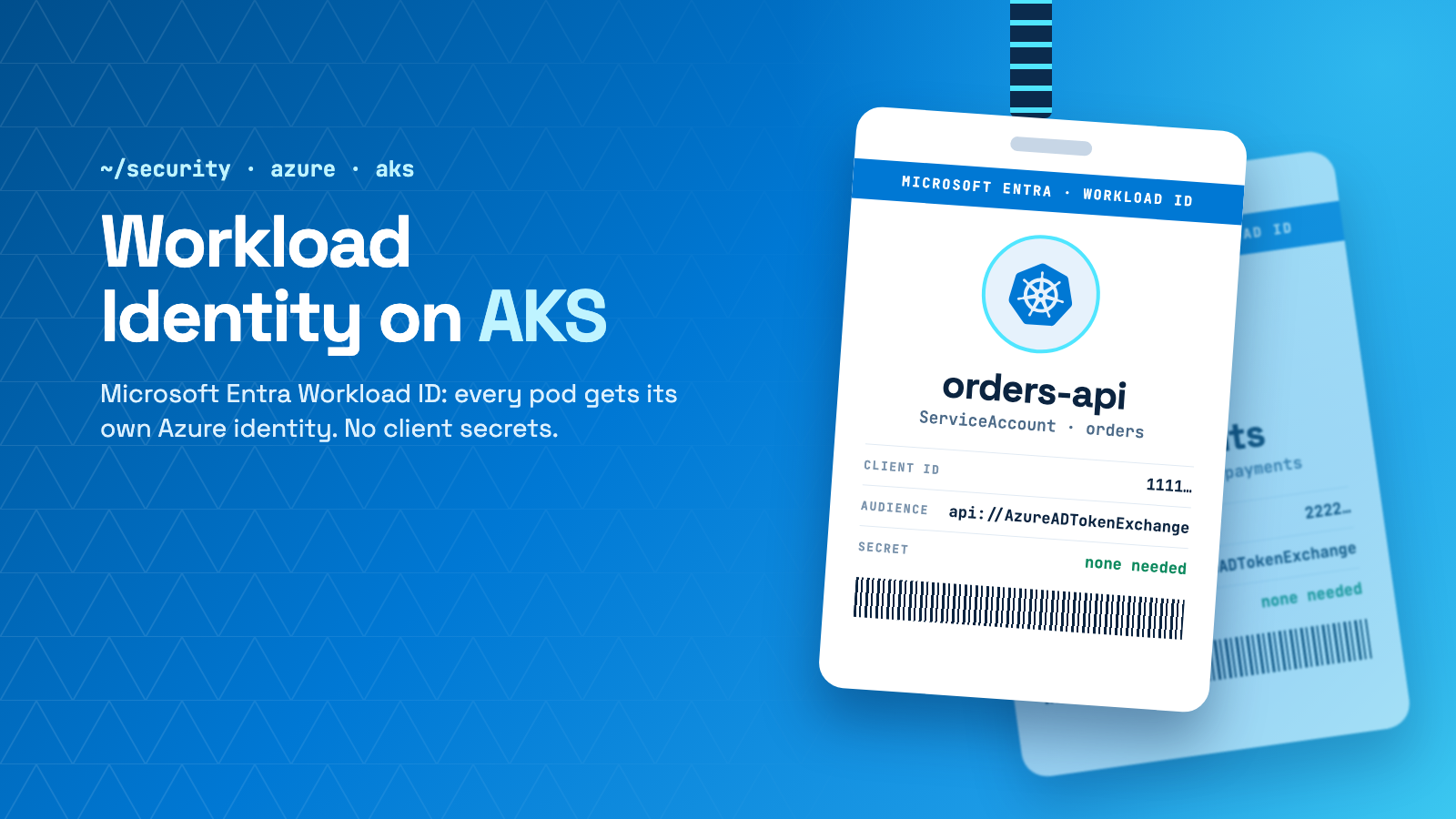
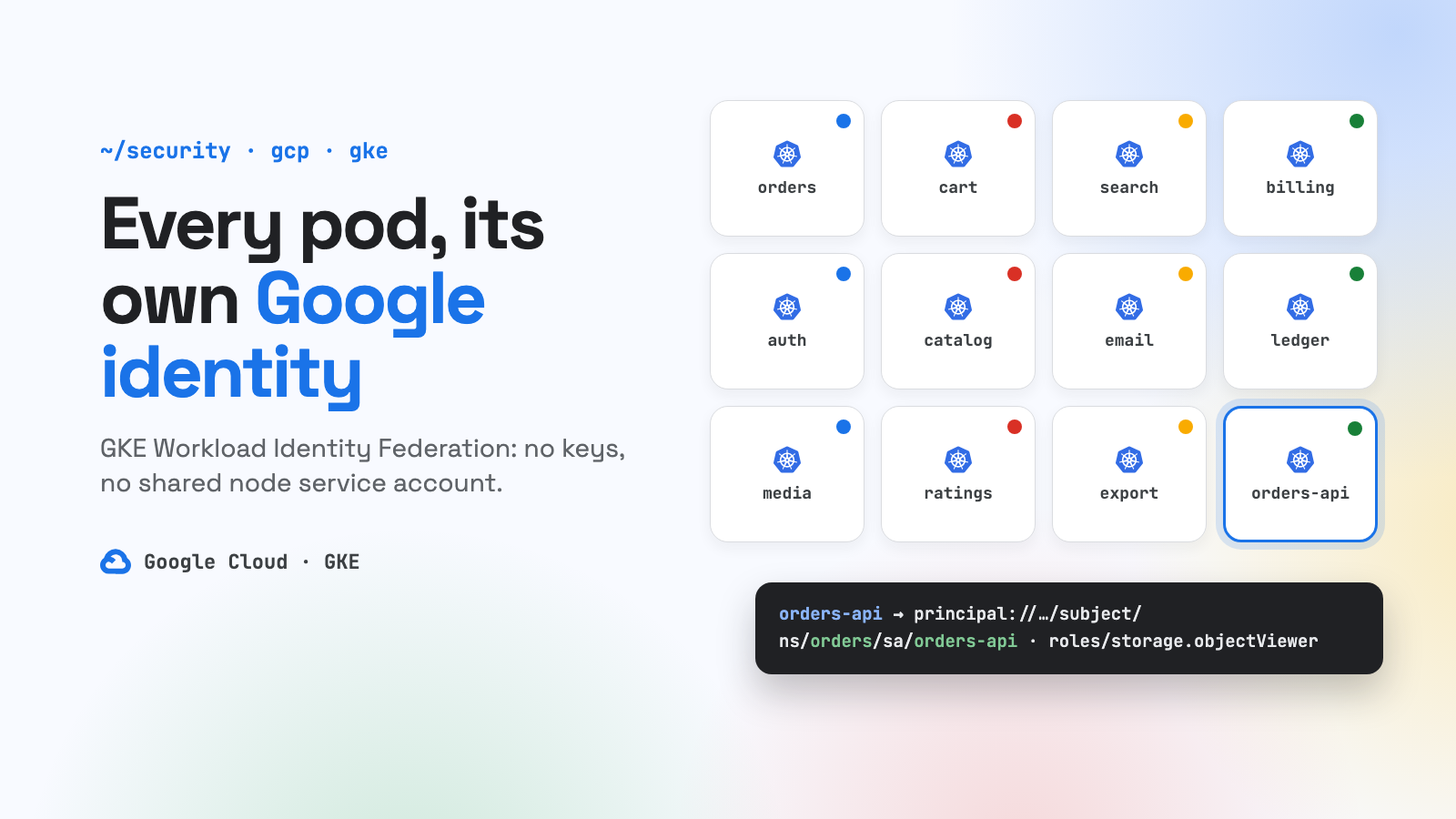
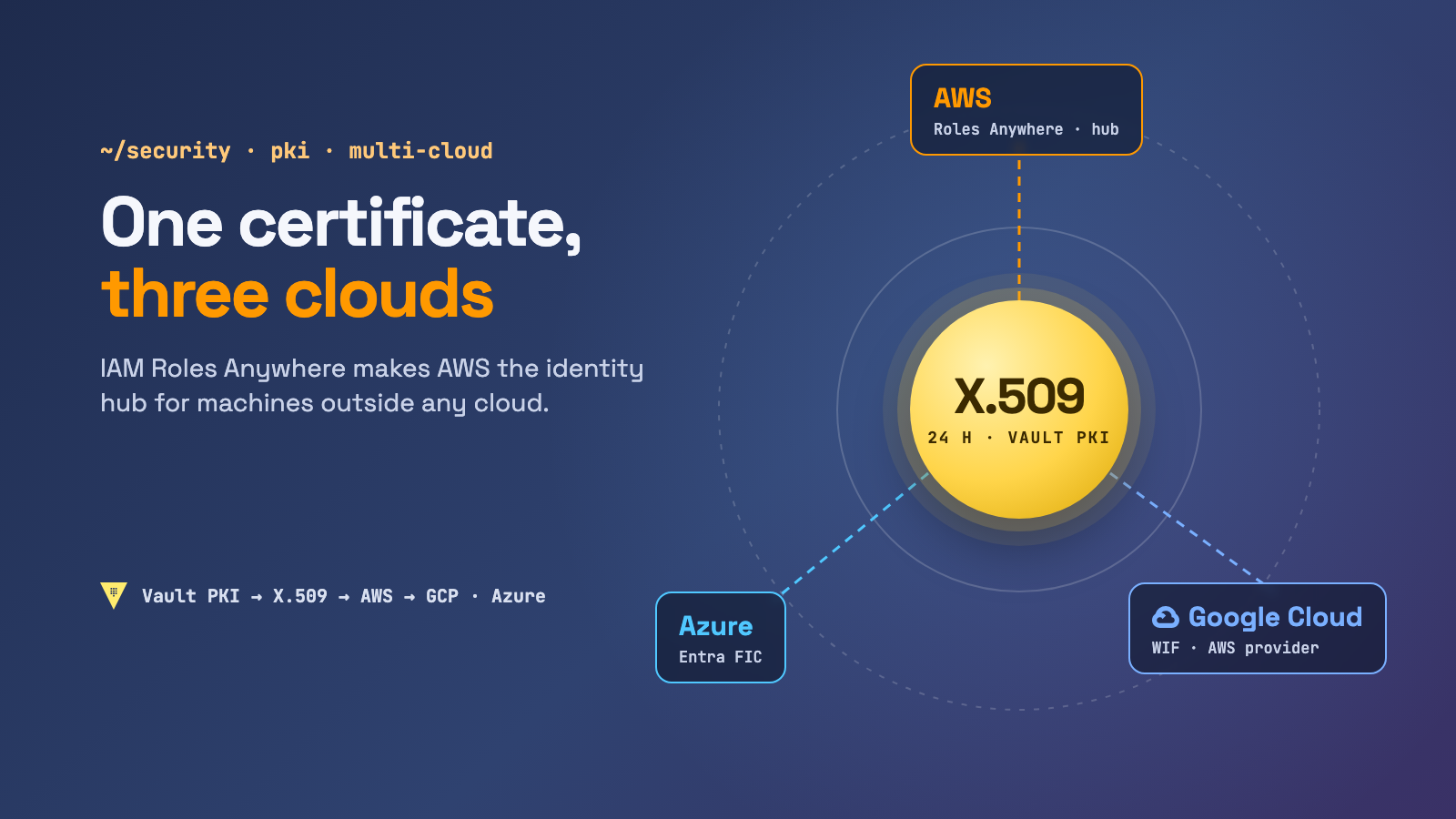
Every article in this series so far solved one problem: a workload proves who it is without a static key. That covers EKS Pod Identity and IRSA, GKE and AKS workload identity, federation across clouds, and IAM Roles Anywhere for machines outside any cloud.
AI agents break the assumption behind all of that. A normal workload runs code you wrote, so you know in advance which APIs it will call, and you give its role exactly those permissions. An agent runs a model that decides at runtime which tools to call, with arguments partly taken from untrusted text: emails, tickets, web pages, tool output. It usually acts for a specific person. If you give it a service account that can read every customer’s tickets, one prompt injection lets it do exactly that.
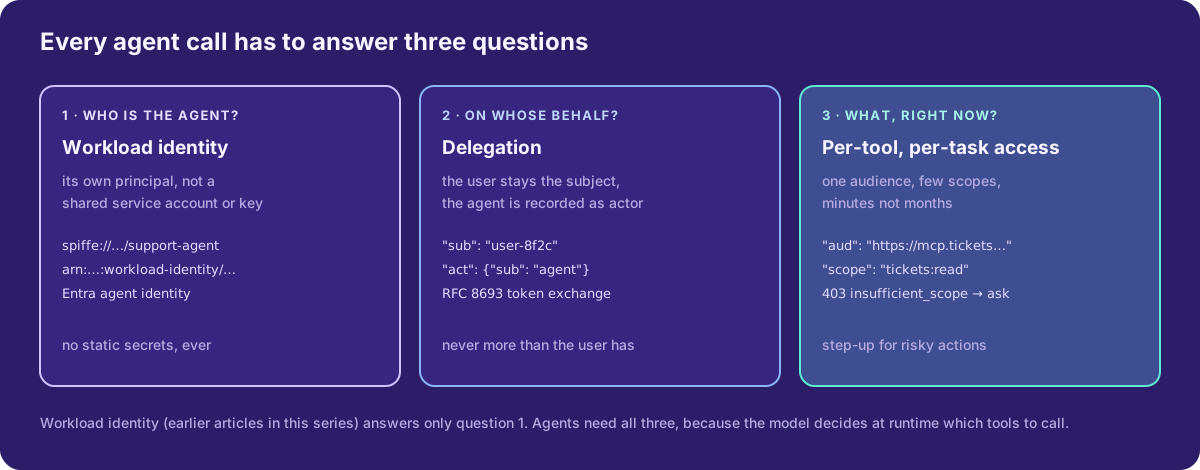
So agent identity is workload identity plus two more questions.
The anti-patterns we’re replacing
- One API key per tool, in the agent’s environment. Every user gets the same power. The key never expires and ends up in logs, traces and sometimes the model’s context.
- The agent forwards the user’s token everywhere. A token issued for your app is replayed against the ticket system, the CRM and an MCP server someone installed last week. Any of them can now reuse it against the others. The MCP spec calls this token passthrough and forbids it.
- A “god” service account for the agent platform. Audit logs say
agent-platform@did everything. You can’t tell which user asked, which agent acted, or why.
The target is: the user stays the subject, the agent is recorded as the actor, and every tool sees a token minted only for it, with only the scopes this task needs, for minutes.
Question 1: the agent’s own identity
The agent is a workload, so start with everything from earlier in the series. On Kubernetes, run each agent type under its own ServiceAccount and federate it to the cloud with Pod Identity, IRSA, GKE Workload Identity or Entra Workload ID. Use SPIFFE/SPIRE if you need a cross-platform ID. Never share one identity across different agents.
The three big platforms now also have identities designed specifically for agents:
| AWS: AgentCore Identity | Google Cloud: Agent Identity | Microsoft Entra Agent ID | |
|---|---|---|---|
| What the agent is | A workload identity with its own ARN, created automatically for agents on AgentCore Runtime | A per-agent principal with a SPIFFE ID, e.g. spiffe://agents.global.org-ORG_ID.system.id.goog/resources/… |
An agent identity: a special service principal created from an agent identity blueprint |
| Credentials | None in your code. Runtime hands the agent a workload access token that binds agent and user | X.509 cert valid 24 h, rotated automatically. Google access tokens are bound to that cert (mTLS) | The agent identity has no credentials of its own. The blueprint holds them and gets tokens for it via federated credentials |
| Acting for a user | GetWorkloadAccessTokenForJWT takes the user’s JWT and checks iss, signature and expiry |
OAuth tokens for external tools through the auth manager | User tokens where the subject is the user and the actor is the agent identity |
| Third-party SaaS tokens | Token vault, KMS-encrypted, 2LO (M2M) and 3LO (USER_FEDERATION) |
Auth manager (credential vault) | Blueprint permissions, OBO flows |
| Notable governance | IAM can deny the unverified …ForUserId path |
Can’t be impersonated, no SA keys; redeploying gives a new principal | Sponsor (accountable human), Conditional Access and disable per blueprint |
A few details that matter in practice:
- Google: in IAM bindings you use the
principal://form of the same identifier. The trust domain isagents.global.org-ORGANIZATION_ID.system.id.goog, oragents.global.proj-PROJECT_NUMBER.system.id.googfor projects without an organization. Agent identities aren’t deleted with the agent, and a redeployed agent gets a new principal. Automate the IAM bindings (Terraform, Config Connector), or every redeploy breaks access and leaves stale grants behind. - AWS: prefer
GetWorkloadAccessTokenForJWT. The…ForUserIdvariant accepts any string as the user, so restrict it with IAM, or deny it outright if you always have a JWT:
{
  "Statement": [{
    "Sid": "DenyForUserIdAccess",
    "Effect": "Deny",
    "Action": "bedrock-agentcore:GetWorkloadAccessTokenForUserId",
    "Resource": "arn:aws:bedrock-agentcore:REGION:ACCOUNT_ID:workload-identity-directory/default"
  }]
}- Entra: the blueprint is the unit of control. It’s the “kind” of agent, e.g. “Sales Assistant”, and every deployed instance gets its own agent identity from it. One Conditional Access policy or one disable on the blueprint covers every instance. Agent identities are single-tenant, even when the blueprint is multitenant.
Question 2: on whose behalf, with token exchange
For self-hosted agents, or to stay portable across clouds, the standard tool is OAuth 2.0 Token Exchange (RFC 8693). The agent sends two tokens to your STS (Keycloak, Okta, Entra, an internal STS):
- the subject token: the user’s token, proving who asked, and
- the actor token: the agent’s own workload token, proving which agent is asking.
It gets back a new token for one target with narrow scopes:
curl -s https://sts.example.com/oauth2/token \
  -d grant_type=urn:ietf:params:oauth:grant-type:token-exchange \
  -d subject_token="$USER_ACCESS_TOKEN" \
  -d subject_token_type=urn:ietf:params:oauth:token-type:access_token \
  -d actor_token="$(cat /var/run/secrets/tokens/agent-token)" \
  -d actor_token_type=urn:ietf:params:oauth:token-type:jwt \
  -d resource=https://mcp.tickets.example.com \
  -d scope=tickets:read
The actor_token here is a projected ServiceAccount token with the STS as its audience, the same mechanism IRSA and GKE use. The issued token carries the delegation chain in the standard act claim:
{
  "iss": "https://sts.example.com",
  "sub": "user-8f2c",
  "aud": "https://mcp.tickets.example.com",
  "scope": "tickets:read",
  "exp": 1792396800,
  "act": { "sub": "system:serviceaccount:agents:support-agent" }
}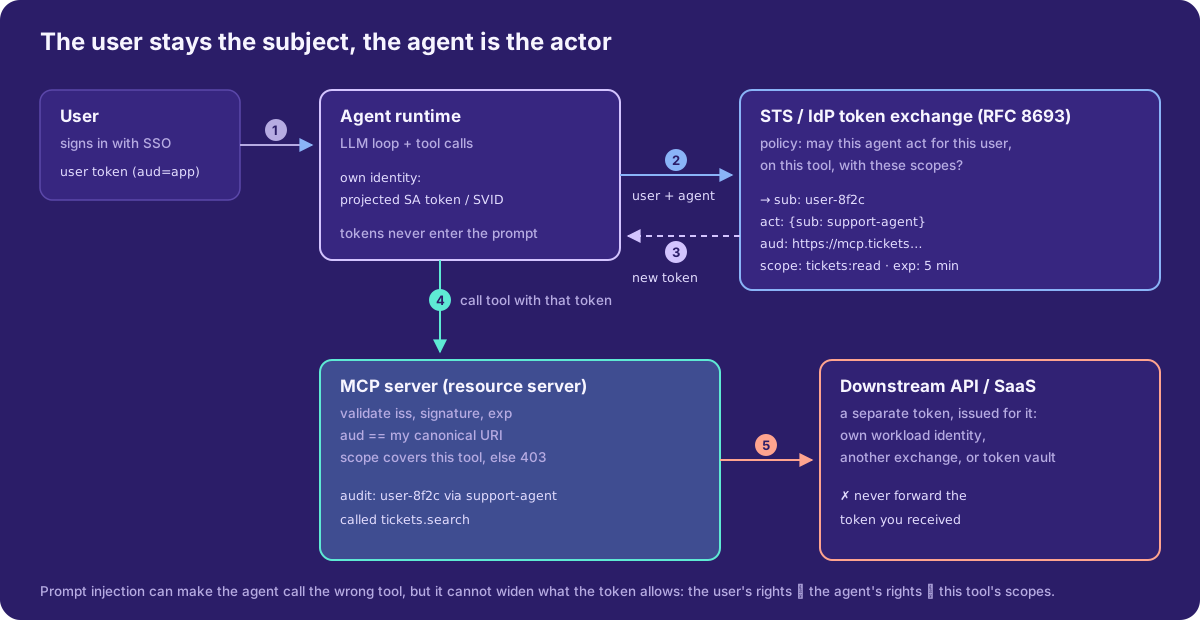
The STS is where policy lives. Before it issues the token, it checks three things: is this agent allowed to act for this user, on this resource, with these scopes? A support agent can read tickets for the signed-in user, but can never get billing:refund, however convincingly an email asks for it.
Question 3: what it may do right now, with MCP authorization
Most agent tools are now MCP servers. The MCP authorization spec (current revision 2026-07-28) is plain OAuth 2.1 with a few rules that are exactly what agents need:
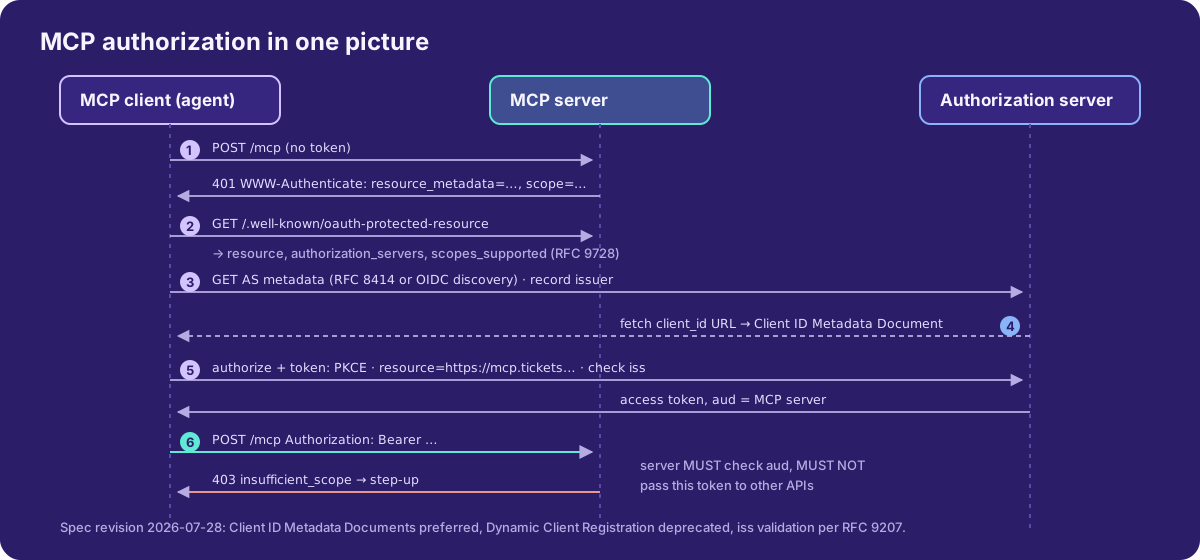
- Discovery. The MCP server MUST publish Protected Resource Metadata (RFC 9728) and return
401withWWW-Authenticate: Bearer resource_metadata="…". It SHOULD include ascopehint. The client finds the authorization server from that metadata. - Client identity. Clients SHOULD use Client ID Metadata Documents. The
client_idis an HTTPS URL that the authorization server fetches. Dynamic Client Registration is now deprecated and only kept for backwards compatibility. - Audience binding. The client MUST send the
resourceparameter (RFC 8707) with the MCP server’s canonical URI. The server MUST reject tokens not issued for it. - No passthrough. The MCP server MUST NOT forward the token it received. For downstream APIs it needs a separate token issued for that API: its own workload identity, another token exchange, or a token vault.
- Step-up. On a missing scope the server returns
403witherror="insufficient_scope"and the scopes this operation needs. The client re-authorizes with the union of old and new scopes. For a user-facing agent, that is your human-in-the-loop moment for risky actions. - Mix-up protection. Clients record the expected issuer and validate
issin the authorization response (RFC 9207).
The Protected Resource Metadata for the tickets server:
{
  "resource": "https://mcp.tickets.example.com",
  "authorization_servers": ["https://sts.example.com"],
  "scopes_supported": ["tickets:read"],
  "bearer_methods_supported": ["header"]
}
scopes_supported is the minimum for basic use. tickets:write is requested later through step-up, only when the agent actually tries to write.
On the server side, the checks are short. Here they are in Python with PyJWT:
import jwt

RESOURCE = "https://mcp.tickets.example.com"
jwks = jwt.PyJWKClient("https://sts.example.com/.well-known/jwks.json")

def authorize(bearer: str, needed_scope: str) -> dict:
    key = jwks.get_signing_key_from_jwt(bearer).key
    claims = jwt.decode(
        bearer, key, algorithms=["RS256", "ES256"],
        audience=RESOURCE,                 # reject tokens minted for anyone else
        issuer="https://sts.example.com",
        options={"require": ["exp", "sub", "aud"]},
    )
    if needed_scope not in claims.get("scope", "").split():
        raise InsufficientScope(needed_scope)   # → 403 + WWW-Authenticate
    return {
        "user": claims["sub"],
        "agent": claims.get("act", {}).get("sub"),  # log both, always
    }
Enterprise SSO for MCP: ID-JAG
Users in a company shouldn’t click “Allow” for every MCP server. The Enterprise-Managed Authorization extension, stable in the MCP auth extensions repository, lets the company IdP decide instead:
- The client exchanges the user’s ID token at the IdP (RFC 8693) for an ID-JAG (Identity Assertion JWT Authorization Grant). It sends
requested_token_type=urn:ietf:params:oauth:token-type:id-jag, withaudienceset to the MCP authorization server’s issuer. - The IdP applies admin policy, i.e. whether this app may reach this MCP server for this user, and returns a short-lived ID-JAG. The example in the extension uses
expires_in: 300. - The client presents it to the MCP authorization server with the JWT bearer grant (
urn:ietf:params:oauth:grant-type:jwt-bearer, RFC 7523) and gets an access token bound to that MCP server.
Support is advertised as urn:ietf:params:oauth:grant-profile:id-jag in authorization_grant_profiles_supported. For fully autonomous agents, with no user in the loop, there is a separate client credentials extension, still a draft at the time of writing.
Third-party SaaS: token vaults, not environment variables
The agent eventually needs Google Drive, GitHub, Slack or Jira as the user. Don’t build your own refresh-token store inside the agent. Use a vault that releases a token only to a caller that proves agent + user:
from bedrock_agentcore.identity.auth import requires_access_token

@requires_access_token(
    provider_name="google-provider",
    scopes=["https://www.googleapis.com/auth/drive.metadata.readonly"],
    auth_flow="USER_FEDERATION",          # 3-legged: the user consents once
    on_auth_url=lambda url: stream_to_caller({"authorization_url": url}),
    force_authentication=False,
    callback_url="https://agent.example.com/oauth/callback",
)
async def list_drive_files(*, access_token: str):
    ...
That’s AgentCore Identity. Google’s Agent Identity auth manager and an internal Vault-backed broker follow the same pattern:
- The token is injected into the tool function, not into the prompt. The model never sees it, so it can’t leak it.
- The vault key is
(agent, user, provider). Agent A can’t read agent B’s tokens, and user X’s consent is never used for user Y. - Revoking consent happens in one place.
Guardrails checklist
- One identity per agent type, never shared and never a human’s account. On Entra, use one blueprint per agent kind.
- No static secrets in agent pods: workload identity for the cloud, token exchange or a vault for everything else.
- Tokens stay out of the model’s context, logs and traces. Inject them in the tool layer and redact
Authorizationheaders. - Every tool token is audience-bound (
resource/aud) and short-lived. Minutes for the exchange, not hours. - Least scopes first, with step-up and explicit user confirmation for write, delete, payment and send-email actions.
- Audit both identities:
sub(user) andact(agent) on every tool call, correlated with the agent’s trace ID. - Kill switches at three levels: one agent instance (disable the identity), one agent kind (blueprint or role), one tool (remove the MCP server from the authorization server’s allowed audiences).
- Lifecycle: an owner or sponsor for every agent identity, and a cleanup of IAM bindings when agents are redeployed or retired.
Wrap-up
Workload identity got us out of static keys for services. Agents need one more step, because the code path is decided by a model and the authority comes from a person. Give the agent its own identity, keep the user as the subject with token exchange, and make every tool call carry a narrow, audience-bound, short-lived token. MCP’s authorization spec, RFC 8693 and the managed agent identities on AWS, Google Cloud and Entra already give you the parts. The work is in wiring them together, with policy at the STS and audit on both sub and act.
Sources
- MCP authorization specification (revision 2026-07-28): https://modelcontextprotocol.io/specification/latest/basic/authorization
- MCP authorization extensions (Enterprise-Managed Authorization, Client Credentials): https://github.com/modelcontextprotocol/ext-auth
- RFC 8693 OAuth 2.0 Token Exchange: https://www.rfc-editor.org/rfc/rfc8693
- RFC 9728 Protected Resource Metadata: https://www.rfc-editor.org/rfc/rfc9728
- RFC 8707 Resource Indicators: https://www.rfc-editor.org/rfc/rfc8707
- AgentCore Identity, workload access tokens: https://docs.aws.amazon.com/bedrock-agentcore/latest/devguide/get-workload-access-token.html
- AgentCore Identity, obtaining OAuth tokens: https://docs.aws.amazon.com/bedrock-agentcore/latest/devguide/identity-authentication.html
- Google Cloud Agent Identity overview: https://docs.cloud.google.com/iam/docs/agent-identity-overview
- Microsoft Entra agent identities: https://learn.microsoft.com/en-us/entra/agent-id/agent-identities
- Microsoft Entra agent identity blueprints: https://learn.microsoft.com/en-us/entra/agent-id/agent-blueprint
Comments